Step-by-Step Call Queue Forwarding
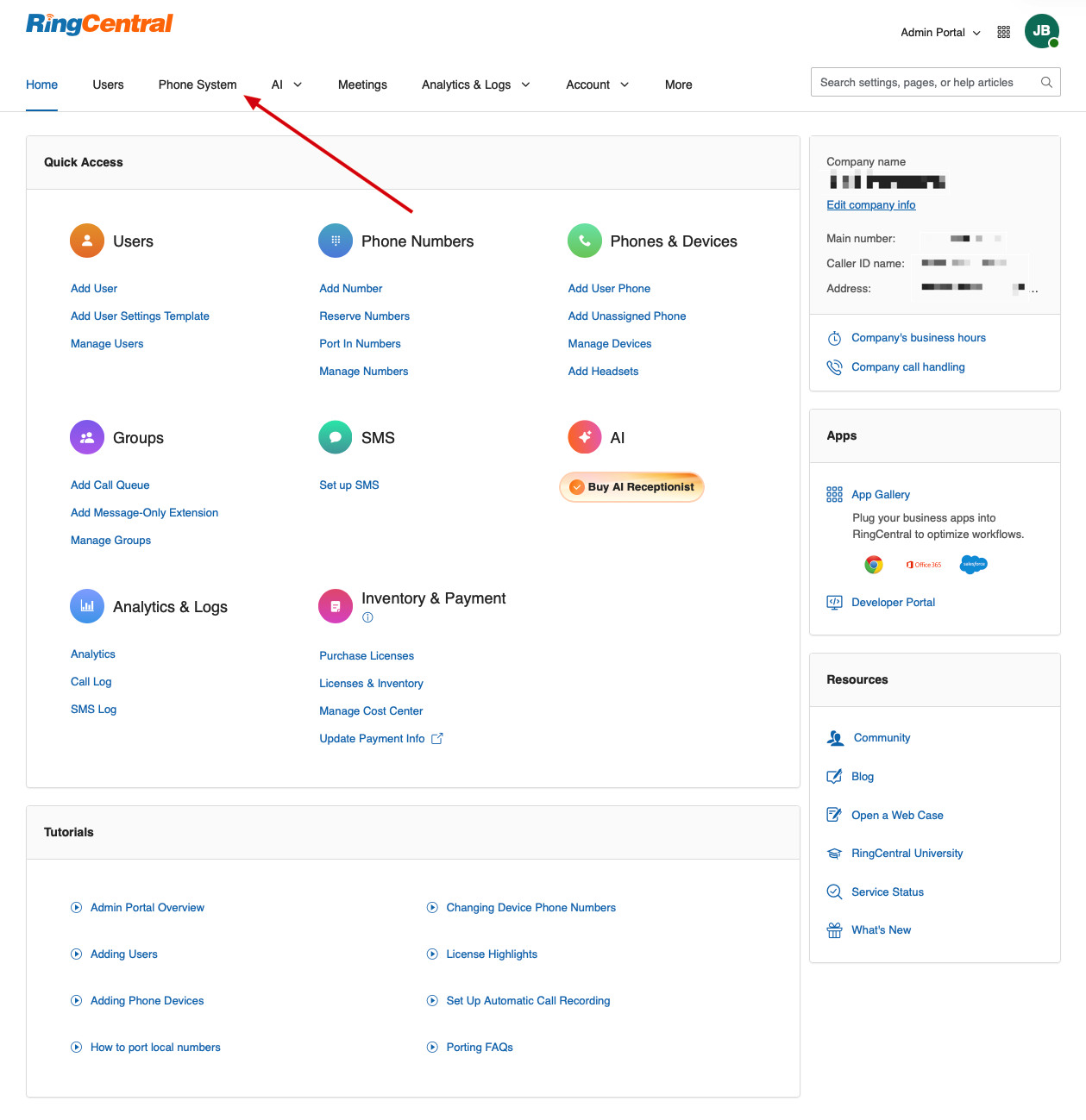
- Log in to the RingCentral Admin Portal.
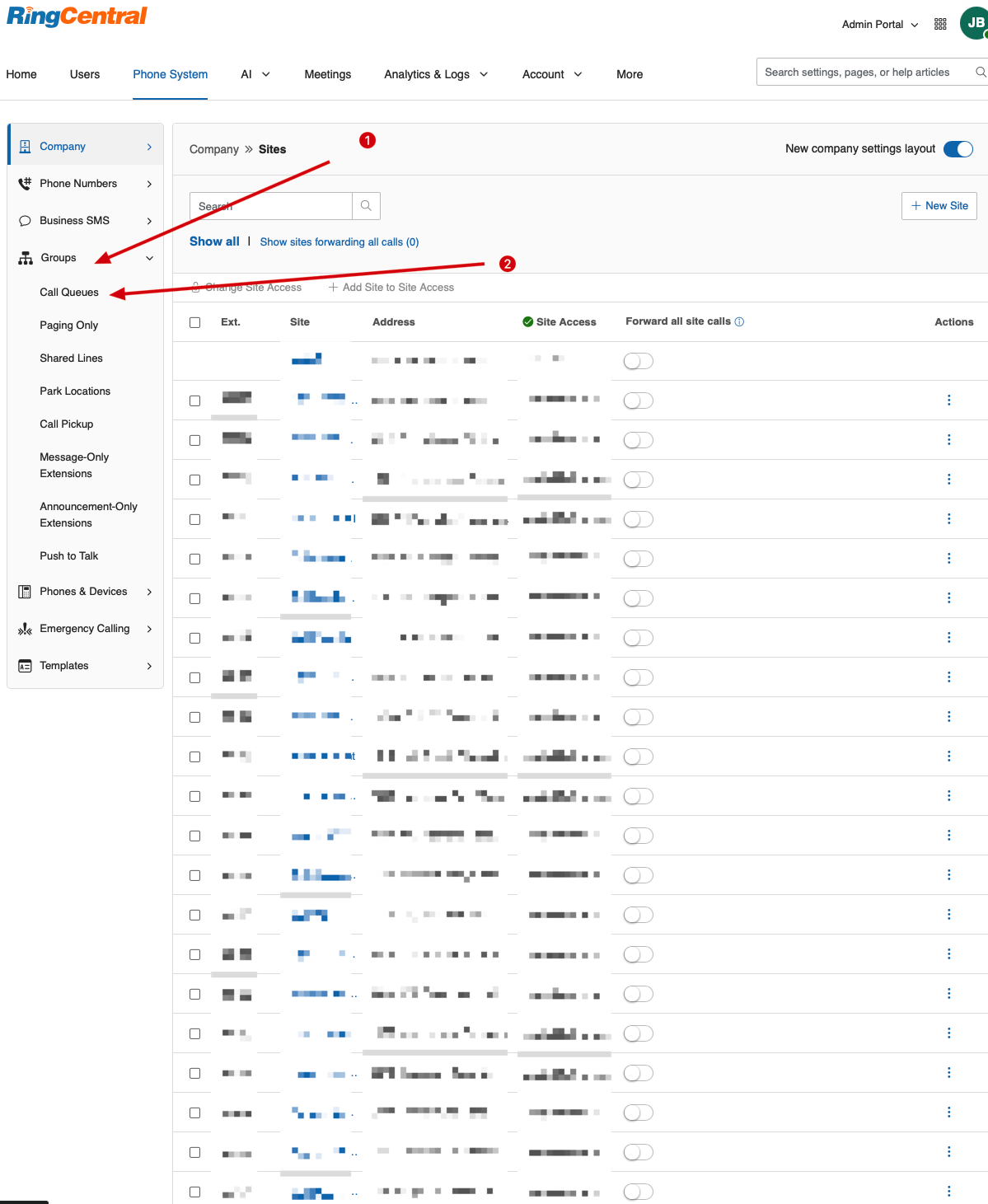
- Navigate to Phone System > Groups > Call Queues.
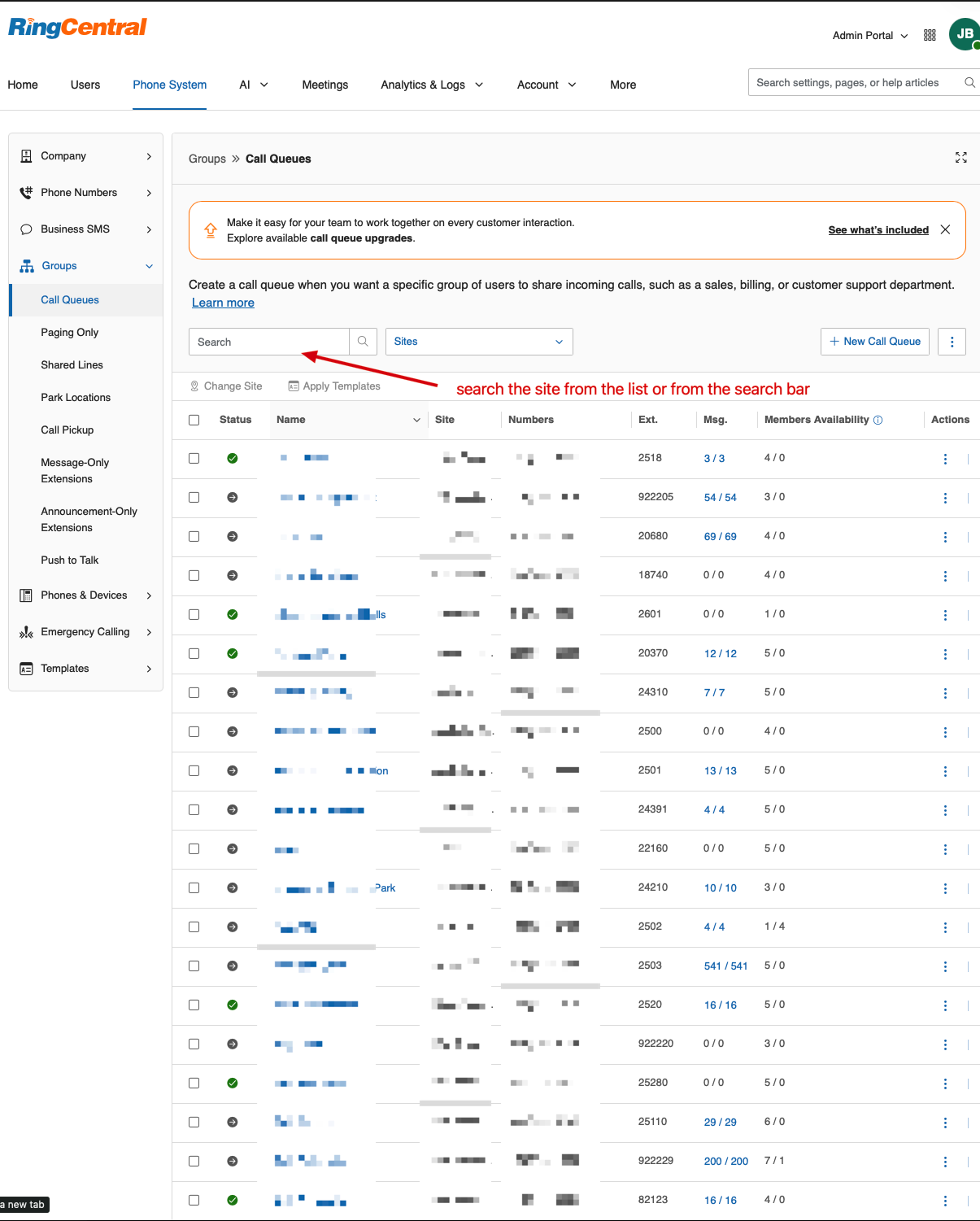
- Click on the specific Call Queue you want to modify.
- Open the Call Handling & Members dropdown menu.
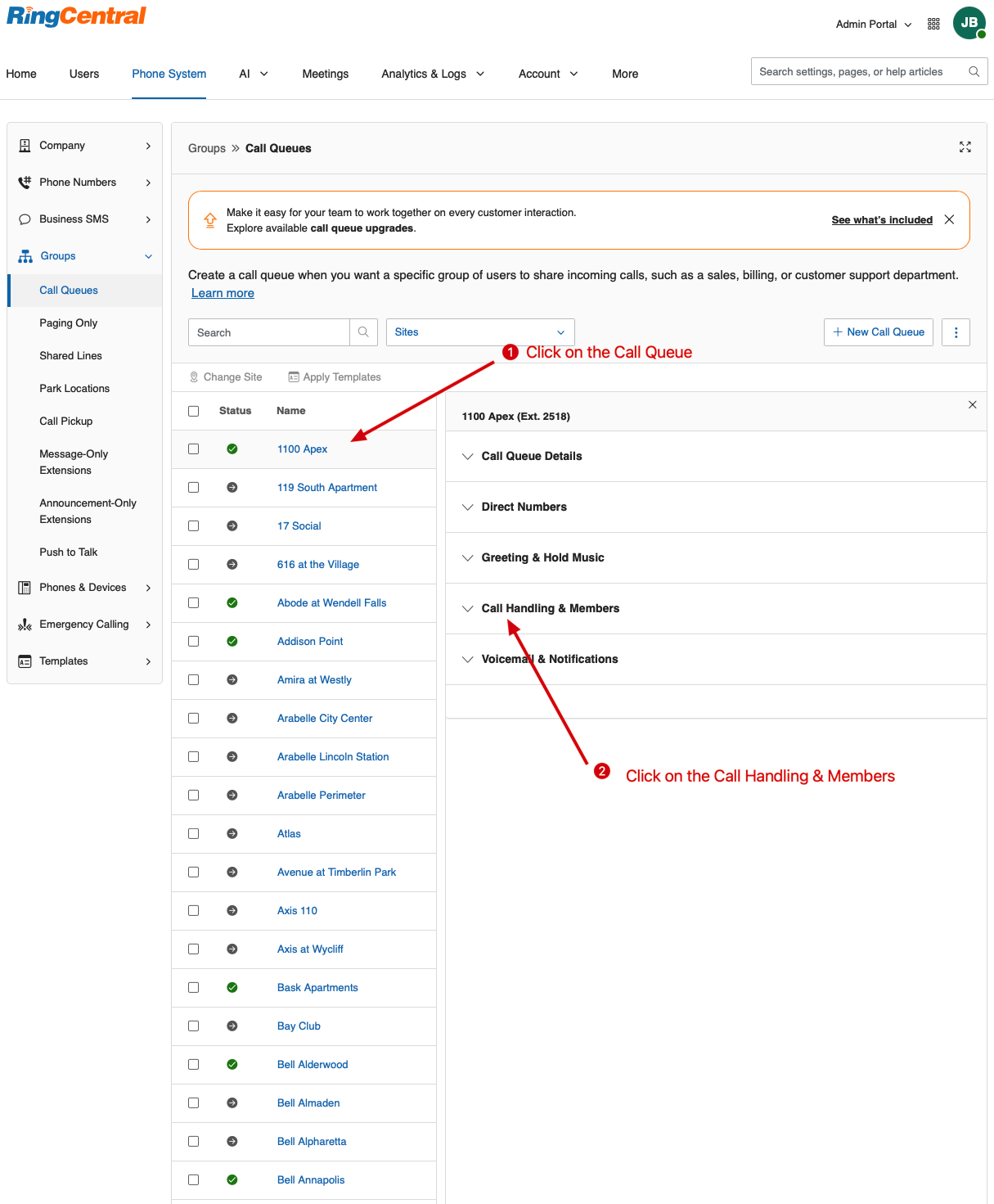
- Open the Call Handling & Members dropdown menu.
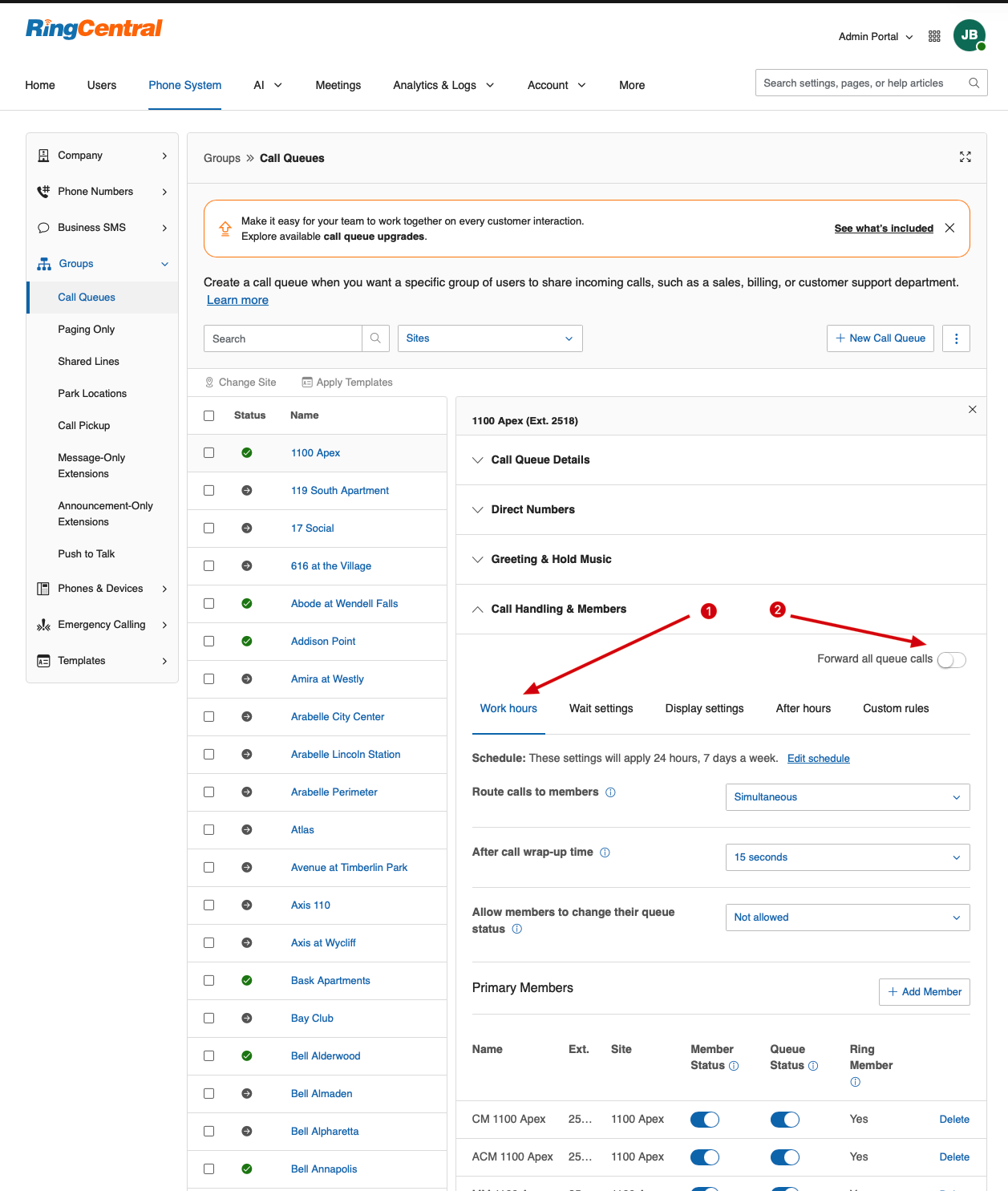
- Locate the Forward all queue calls feature.
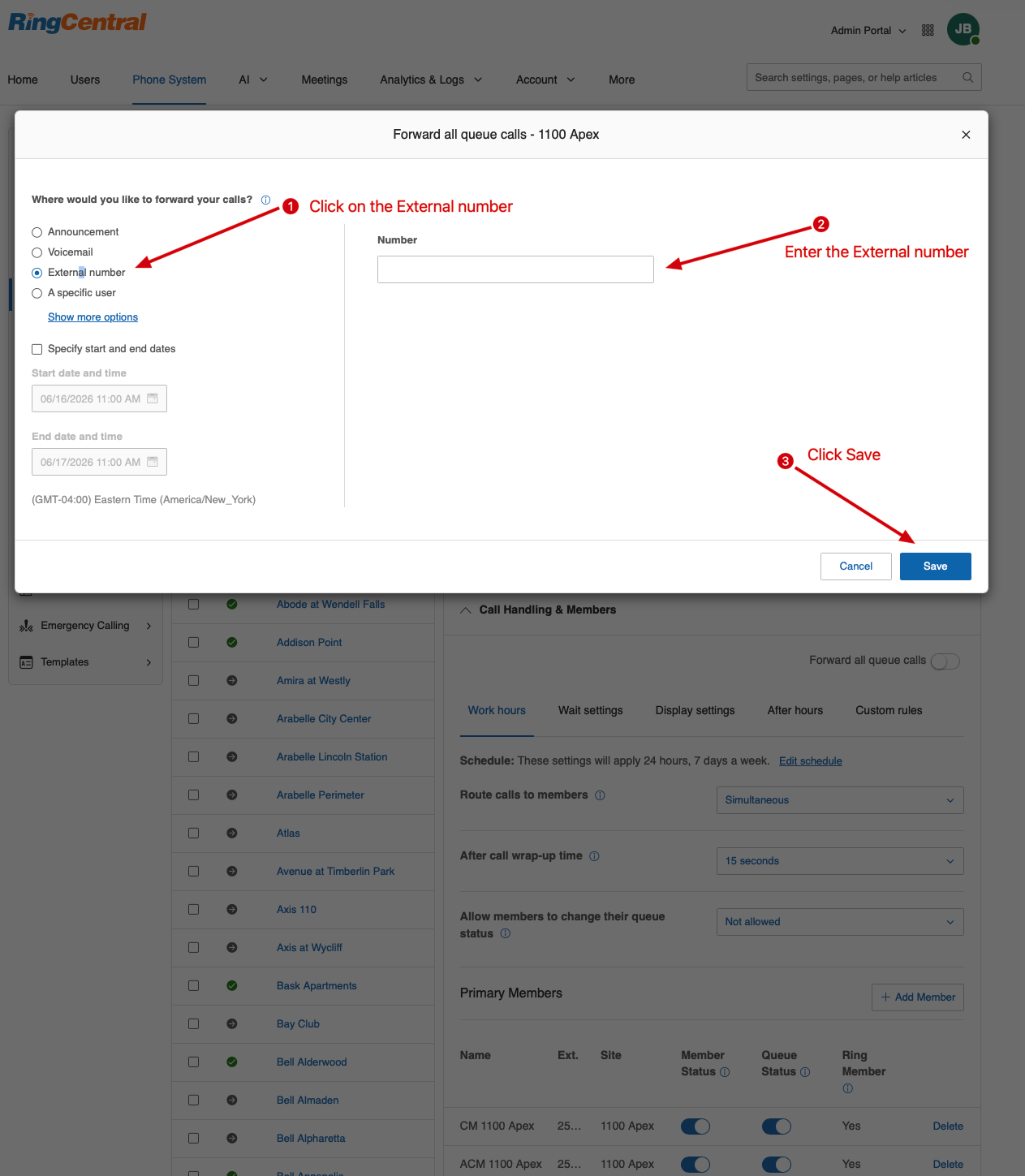
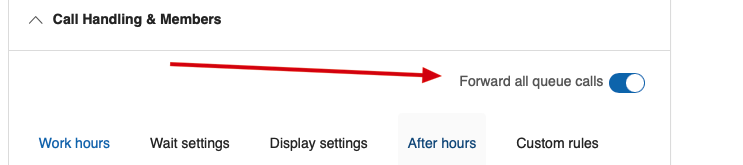
- Call Forwarding becomes active once the toggle button is highlighted in blue.
Was this article helpful?
That’s Great!
Thank you for your feedback
Sorry! We couldn't be helpful
Thank you for your feedback
Feedback sent
We appreciate your effort and will try to fix the article